
Consultation Planning
Prepare useful documents for your destination consultation and arrange a clear handoff to your clinician at home.
A useful records handoff has two directions: information your destination clinician needs before seeing you, and information your home clinician needs afterward. Treat them as separate tasks, with a named sender and recipient for each. The preparation below is an organizing aid, not a clinical requirement or a statement of Costamed's records policy.
Separate clinical records from general inquiries
Clinical records belong only in a named provider-confirmed secure channel, not a general contact form. Before submitting any information through a general inquiry, clarify who receives it and the purpose of collection. If either is unclear, wait rather than sending a smaller message.
The first submission permits only your name, email, and optional contact-method preference. It does not permit travel dates, destination, companion details, room needs, a narrative, or attachments. Ordinary travel details may be discussed later with the confirmed travel contact after recipient and purpose are clear.
Keep three choices distinct: permission to respond to your requested inquiry, optional marketing, and referral to a specifically named provider. Requesting a reply is not marketing consent, and a planning conversation is not permission to forward records.
Diagnoses, scans, and clinical documents stay in the provider-confirmed clinical route. Payment details, financial records, and insurance identifiers also stay out of general inquiries, but they are not clinical records. Their exclusion does not establish an appropriate later collection channel.
Prepare an inventory, not an indiscriminate upload
Start by listing the records you already have, then have the receiving clinician identify the relevant documents and date range. Do not assume every past record is necessary or that an older result answers a current clinical question.
Use this checklist privately to organize possible materials:
- Clinical background: existing consultation notes or summaries relevant to the planned discussion.
- Medication and allergy information: your current list, with uncertainties marked for clarification rather than guessed.
- Test reports: existing laboratory, pathology, or imaging reports, preserving dates and identifying details.
- Imaging files: note whether you have the actual study files, only the written report, or both.
- Previous care documents: relevant procedure reports, discharge summaries, and follow-up instructions already in your possession.
Create a simple index showing document title, date, issuing provider, and what is missing. Keep original documents unchanged; put your own notes in a separate summary. That separation helps the clinician distinguish a provider's record from your recollection. The clinician, not a travel contact, decides whether additional or updated information is needed.
| Approach | Choose when | Trade-off |
|---|---|---|
| Provider-to-provider secure transfer | Both practices confirm an accepted route and any required authorization. | Less patient file handling, but you still need to establish what was delivered. |
| Patient-managed secure delivery | The receiving provider accepts your copies through its confirmed channel. | You can track the document set, but must manage formats and missing files. |
| Provider-approved physical copy | The clinician specifically requests or accepts an in-person copy. | Useful for the visit, but does not complete a separate handoff to your home practice. |
Choose an accepted transfer method and close the loop
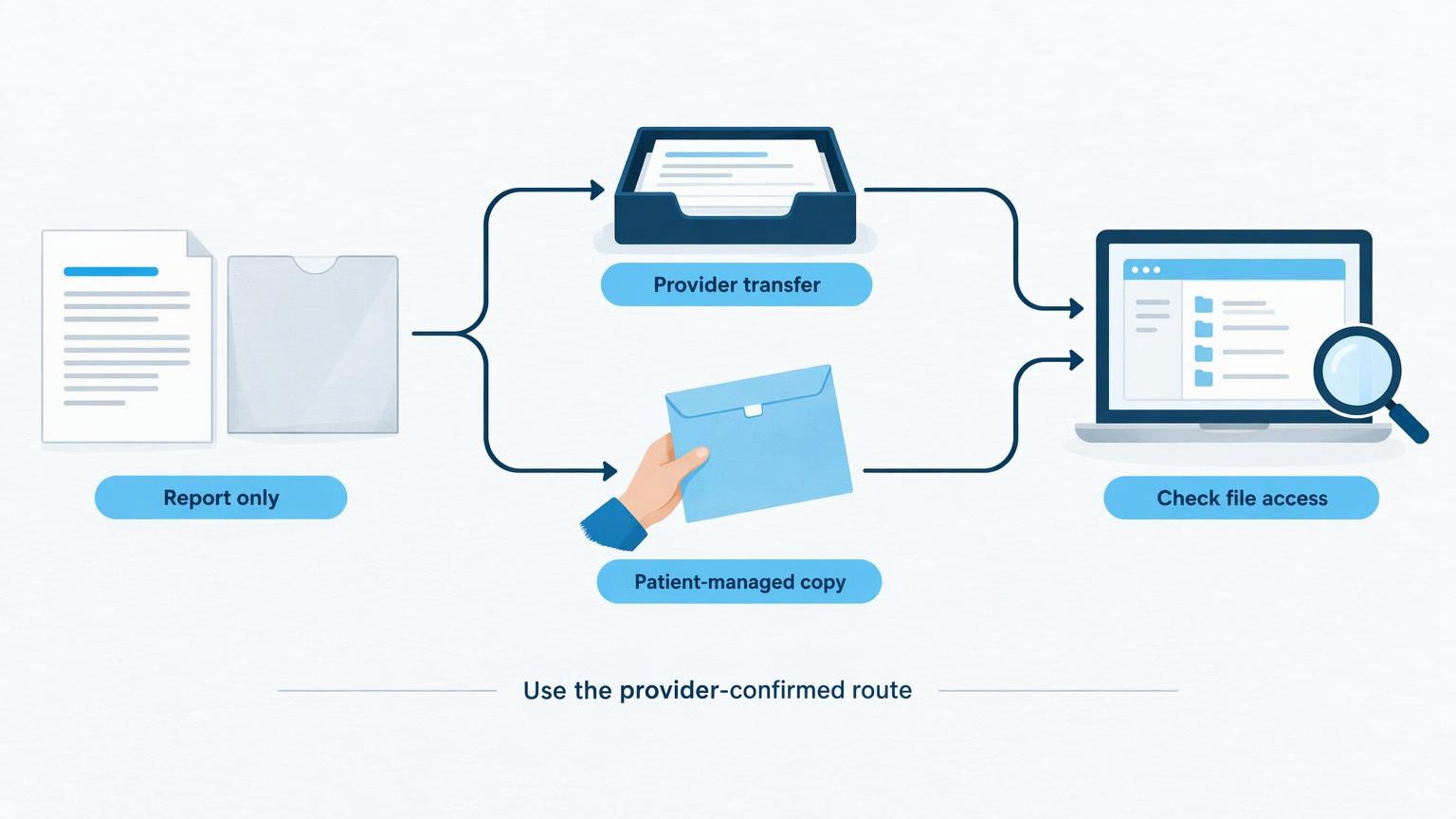
Use the method the named receiving provider confirms for your records. Provider-to-provider transfer can reduce your file-handling work; patient-managed delivery can give you a clearer view of what was sent. Neither is automatically available or preferable.
First, identify the clinician or records recipient for your Playa del Carmen visit, rather than relying on a general Costamed label. Have that provider confirm the secure destination, requested documents, accepted formats, and any release authorization needed from the sending practice.
Next, assign who will send each item. Keep a private record of the document names, sender, intended recipient, and transfer status. Do not interpret an upload confirmation as confirmation that the clinician has reviewed the information.
Finally, establish whether the recipient received the requested set and can open it. If a file is missing or unusable, resolve that specific issue through the confirmed provider channel. Keep any stated fees, processing times, language requirements, and authorization instructions together rather than relying on assumptions about another facility's procedure.
Work through a report that is missing its images
If the clinician requests imaging files and you have only the report, arrange access to the requested files rather than substituting screenshots. The next decision depends on what the receiving clinician needs to evaluate.
Say you are preparing a consultation at Costamed Playa del Carmen and have a written imaging report from your home provider. The receiving clinician requests the associated study files. Your report is organized and readable, but the requested set is incomplete.
One route is to have the original imaging provider transfer the study directly through the receiving provider's accepted process. Another is to obtain a copy yourself and deliver it through the confirmed secure channel, if that method is supported. Choose based on the providers' instructions and your ability to manage the files, not on which route sounds more convenient.
Then confirm that the files open. If they cannot be obtained or used, the receiving clinician must decide whether the consultation can proceed, needs a different scope, or should be rescheduled. Do not infer that a written summary makes the missing study unnecessary.
Arrange the records handoff to care at home
Before the visit ends, identify which documents your home clinician needs and who will send them. A copy for your own files is useful, but it does not replace delivery to the clinician expected to provide follow-up.
Discuss an outgoing document set appropriate to the care you actually receive: the consultation or discharge summary, findings and test reports, an updated medication list, any procedure report, and the treating clinician's follow-up instructions. These are preparation categories, not a promise that every document applies to every visit.
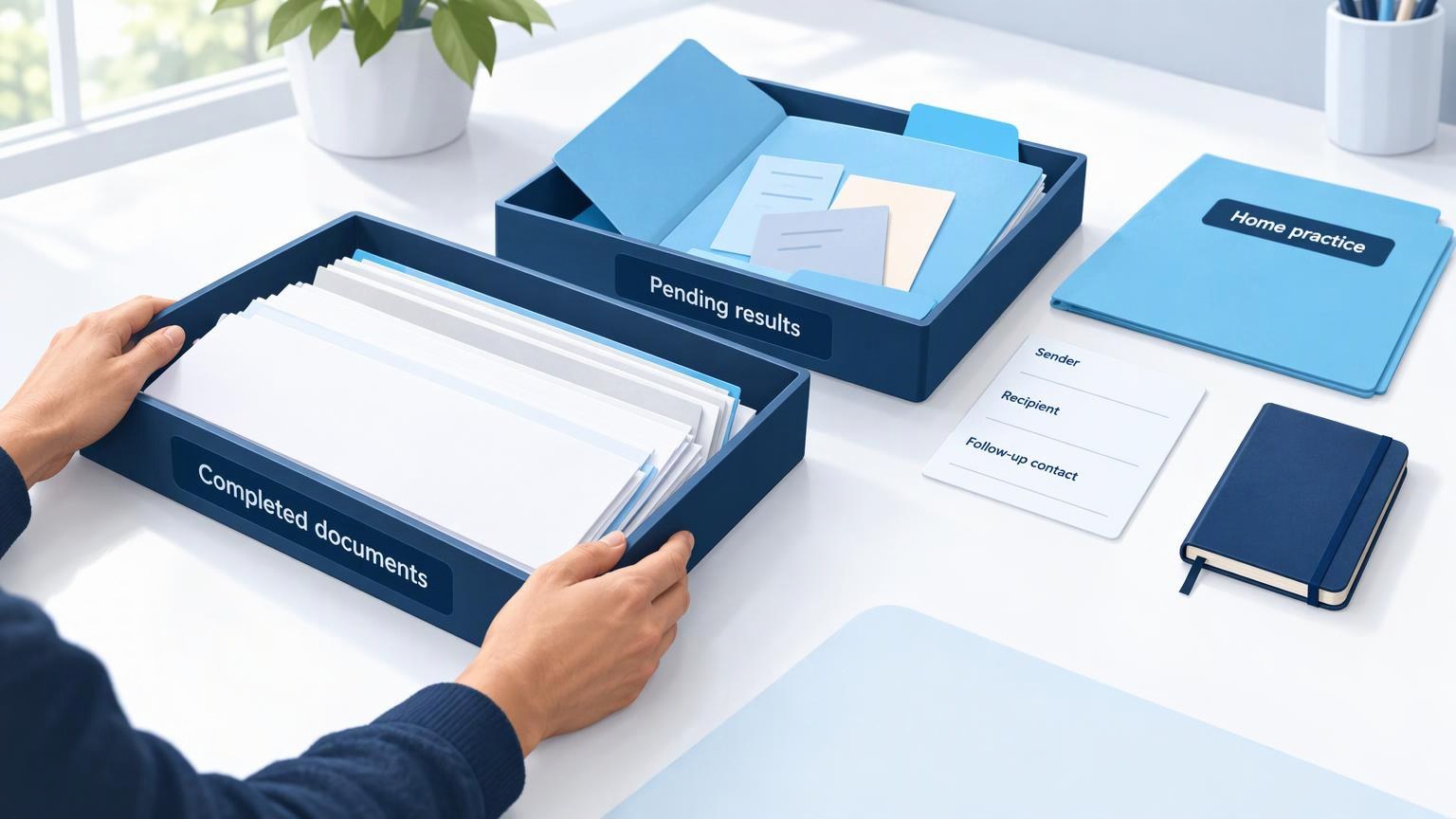
Separate completed documents from pending results. For each unfinished item, establish who releases it, who receives it, and whom you contact if it does not arrive as arranged. Ask your home practice about its accepted secure route rather than assuming it uses the same system as the destination provider.
Before calling the handoff complete, confirm receipt and usability with the home practice. Any clinical questions about instructions belong with the treating clinician. Our guide to returning home after medical care in Mexico offers related planning questions.
Keep provider authorization separate from destination fit
Travel-planning information does not establish authority to coordinate your clinical handoff. Our Costamed Playa del Carmen comparison guide explains that publishing travel and consultation-planning guidance does not establish a treating-provider or authorized Costamed referral relationship.
Confirm authority to receive your clinical records, the intended recipient, and the secure records route with the specifically named provider. Permission for a referral to that provider remains a separate choice from permission to reply to a travel inquiry. A website description of a business relationship does not replace provider confirmation of your records-sharing arrangements.
Eligibility, diagnosis, treatment suitability, and recovery advice remain with the qualified treating clinician. For travel planning, review the Hospitality Cancún homepage and compare its stated destination coverage with your intended visit. Geographic fit does not answer the records-sharing question.
Later ordinary travel discussion can focus on logistics with the confirmed travel contact; it need not include your clinical documents.
Frequently Asked Questions
Should I translate every document before sharing it?
Do not commission a full translation without the receiving provider's instructions. Establish which documents need translation, the accepted language, and whether a particular translator or certification is required. Preserve the original alongside any translation, and do not rewrite clinical wording yourself to make it sound clearer.
Can my companion handle records for me?
Do not assume companionship authorizes access or disclosure. Have the relevant providers explain what authorization they require for that person's role. Keep help organizing your private checklist separate from permission to receive records, discuss care, or transmit documents on your behalf through the provider's accepted process.
What if I notice an error in a record?
Keep the original unchanged and contact the issuing provider about its correction process. Record your concern separately so the receiving clinician can distinguish it from the original document. Do not edit a diagnosis, medication entry, test result, or procedure description yourself and present the altered file as the provider's record.
What should I do if a records link expires?
Contact the issuing provider through its confirmed route and request instructions for renewed access or another accepted delivery method. Tell the receiving practice which requested item remains unavailable. Avoid forwarding credentials or replacing the file with a screenshot unless the provider specifically confirms that the substitute meets its needs.
Does this guide establish a legal right to records or a delivery deadline?
No. This is a preparation and handoff guide, not a statement of legal access rights or Costamed's delivery policy. Obtain the relevant provider's records-request instructions, authorization requirements, fees, and processing information. Do not assume that rules applying to your home practice govern the destination provider.